

Agent Storage and Data Integration
The agent storage stores structured data securely and keeps it available across conversations – from contract data to research results.
License
The agent storage is activated as a capability of the agent. Configuring it requires the Builder license as well as global administrator or group admin rights (see Roles and Permissions).
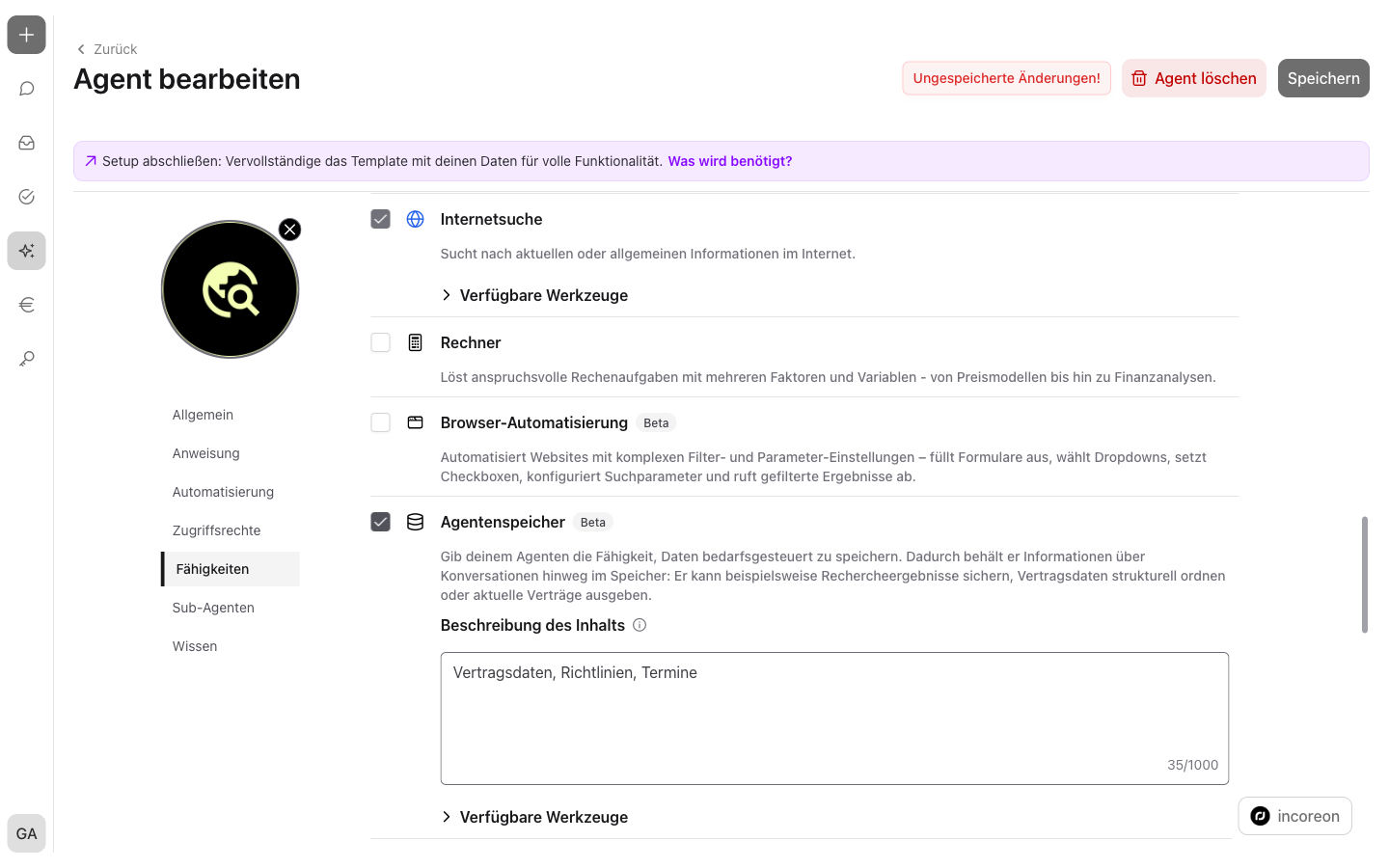
What Is Agent Storage Suited For?
- Capturing contract data and outputting it on request, e.g. all contracts expiring this year
- Securing research results and reusing them in later conversations
- Centrally storing recurring details – contact persons, dates, terms
- Taking over data from external systems, holding it in a structured way, and outputting it when needed
- Evaluating stored entries and recognizing patterns, e.g. conspicuous revenues
What Is Agent Storage?
The agent storage is an agent's structured data store. It works like a small database: Information is not stored as continuous text, but as entries with fixed fields – comparable to rows in a table.
As a result, the agent retains information across conversations. A conversation in the chat has only a limited short-term memory – the context window; the agent storage remains unaffected by it.
Example contract data: The agent stores the contract partner, the term, and the notice period as an entry for every contract. For the question “Which contracts expire this year?”, the agent searches its stored entries and answers from the agent storage.
How Storing and Retrieving Works
The agent manages the agent storage itself – there is no separate table to fill in. Everything is controlled via the chat: The agent reads the request, carries out the matching activity, and reports the result in the conversation. The data comes from the input in the chat, from attached files, or from the agent's capabilities, e.g. appointments from a connected calendar.
In doing so, the agent can carry out four activities:
| Activity | Example prompt | Result |
|---|---|---|
| Insert data | “Store the contract data from the attached file.” | An entry with contract partner, term, and notice period is created for every contract |
| Search data | “Which contracts expire this year?” | List of the contracts expiring this year |
| Update data | “Change the notice period of the contract with the sample company to 3 months.” | The entry contains the new notice period |
| Show data structure | “Show which fields you have stored for the contracts.” | List of the fields of the stored entries |
Example in dialogue: In the first conversation, a file is attached and “Store the contract data from the attached file.” is entered. The agent then creates an entry for every contract. Days later, in a new conversation, the question “Which contracts expire this year?” is enough – the agent searches its stored entries and answers without the file having to be uploaded again.
Setting up and initially filling it in is shown by the Guide: Setting Up and Filling the Agent Storage.
The Description as a Table of Contents
When setting up the capability, a description of the content is stored, e.g. “contract data, policies, appointments”. The agent uses this description to classify stored information correctly and retrieve it specifically – like a table of contents. The more apt the description, the more fittingly the agent accesses the data.
Where the Data Lies – and Who Accesses It
Every agent has its own agent storage – agents do not share data. The storage belongs to the agent and is used exclusively via the agent: Who may use and edit the agent is regulated by the agent's access rights (see Granting Access Rights).
The agent does not delete entries: It can create, search, and update entries – but not remove them. Details that are no longer needed can be updated or remain in the storage.
The agent storage's life cycle follows the agent and its files:
- Delete agent – when the agent is deleted, its agent storage is deleted as well, with all entries.
- Delete file from a knowledge group – entries that the agent stored via a knowledge group's linked task belong to the file. When the file is deleted from the knowledge group, these entries are deleted as well (see Adding Knowledge).
- Adopt template from the agent library – the adopted agent's agent storage starts empty; the original's content is not adopted.
Integrating Data – Agent Storage Alongside Knowledge and Capabilities
incoreon provides several ways to integrate data and information:
- Knowledge – uploaded files and network drives; the agent searches them for matching questions (see Agent Components in Detail).
- Capabilities for external systems – connect ERP, mail, or calendar systems, e.g. Microsoft Mail or Microsoft Calendar (see Agent Components in Detail).
- Agent storage – holds structured data as entries, regardless of where the data comes from.
The agent storage complements the other ways: What is entered in the chat, attached as a file, or retrieved via a capability is kept as structured entries across conversations (see How Storing and Retrieving Works).
All connections run via MCP – the standardized connector for additional functions and external systems (see Adding Custom Capabilities via MCP Servers).
FAQs about Agent Storage
Do the stored data persist across several conversations?
Yes. The agent storage is independent of a single conversation's short-term memory and retains entries permanently.
Do agents share the storage?
No. Every agent has its own agent storage – one agent's data is not available to any other agent.